WEB STANDARDS
FOUNDATIONAL REQUIREMENTS
Official university web properties such as websites, microsites, and landing pages (including those of colleges, departments, centers, and institutes) represent the university. They are intended only for official business functions of the institution.
All properties are subject to the University of Florida’s standards to ensure brand alignment across the institution’s web properties. Users are strongly advised to familiarize themselves with the Acceptable Use Policy and the institution’s Digital Standards. The official University of Florida themes, templates, or graphics should not be modified.
Register Your Domain
Registration is required for websites using the ufl.edu subdomain. Once registered, the University’s web administrator will include the site on the University of Florida Website Listing.
Accessibility
To provide end users with a welcoming and accessible web experience, the University of Florida adopts the World Wide Web Consortium’s standard: Web Content Accessibility Guidelines (WCAG) Version 2.1, AA conformance level as the minimum accessibility standard for all Electronic Information Technology (EIT). All websites used to conduct official University business must comply with the Electronic Information Technology Accessibility Policy.
Digital Logo Standards
The official University of Florida logo is available to download as a file optimized for image displays. If you opt to use your unit lock-up or another unique brand identifier as a profile image, please review the logo usage guidelines and note that you may not alter the logo in any way.
PNG is the standard format for transparent images. These produce smaller files with crisper edges. If you are creating your own PNG files, they are best exported directly from the EPS or AI files.
Headers and Footers
Header Examples:
All headers should identify the unit and its affiliation with the university. It’s recommended that the university identifier be the university monogram.


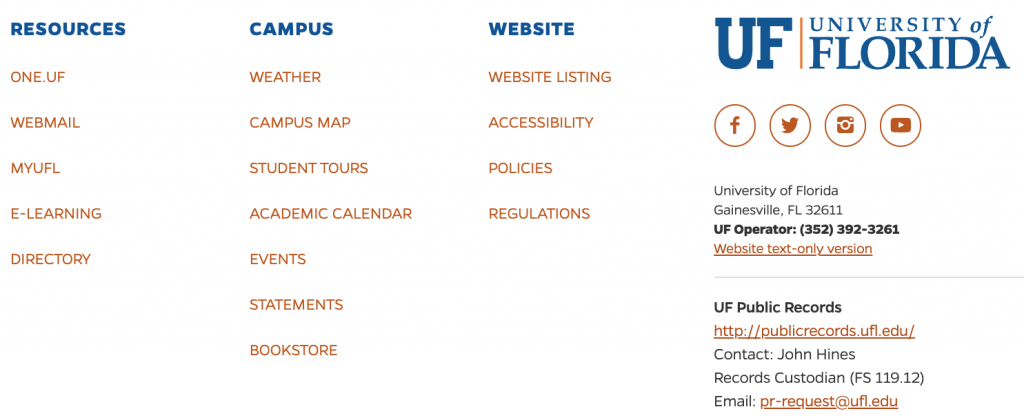
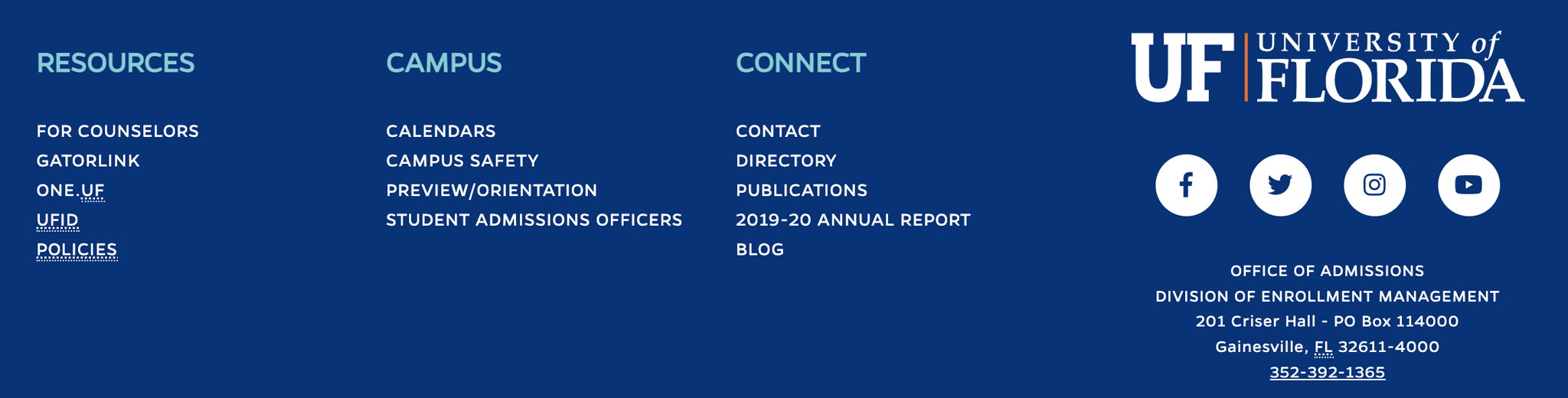
Footer Examples:
All footers should include the university’s horizontal logo. The logo can either be placed flush left or right of the footer, per the preference of the unit. In all instances, the primary logo should always be linked to the University of Florida home page at www.ufl.edu.
Favicon
All Florida web properties should also use one of the following Favicon options.

Favicons can be obtained from the Logos section on the Downloads page.
BEST PRACTICES AND CONSIDERATIONS
Responsive Design
Mobile accounts for approximately half of the web traffic globally. Due to users increasingly accessing websites via mobile and tablet devices, all websites must be responsive. Failure to make websites responsive can result in a negative user experience and even search engine ranking penalties.
Navigation
Website menus or navigation need to clearly define the resources available on a website. An excessive amount of navigation items should be avoided by leveraging proper categorization and sub-navigation items.
Clear Call-to-Actions
Websites should make it easy for end users to find resources. This can be accomplished by adding visible call-to-actions within pages that prompt users to visit a resource.
Web Colors
The University of Florida’s web colors and accessibility guidelines:
| The University of Florida Web Colors
(meets WCAG 2.1 AA guidelines for contrast against #FFFFFF white) |
||
| Color | RGB | HEX |
| Orange | 250,70,22 | #FA4616 |
| Blue | 0, 33, 165 | #0021A5 |
Visit our colors page in the Design Center to learn more about the university’s brand colors.
Web FONTS
Web-safe fonts that can be used as close replacements to the official university typography are:
- Franklin Gothic (replacement for Gentona)
- Georgia (replacement for Newsreader)
Current WEBSITE Templates
UF colleges, departments, centers, institutes and administrative units may use the official, UF-branded Mercury web templates. The templates can be downloaded for use on various platforms and are available with varying levels of technical support.
- Base code bundle (HTML, CSS, JavaScript) – Self Service Only
- TerminalFour Templates – UFIT full support
- WordPress Templates
- Hosted UFIT Multisite option – UFIT with limited support (technical users only)
- WordPress Theme + Plugins option – Self Service
To learn more, visit the website templates page.
Note: UF Health entities, including the health colleges, centers and institutes, should refer to the UF Health Web Services website for available web templates and resources.
Making Your Content and Templates Work Together
The official 2022 Florida web templates will provide visual consistency, user experience, mobile responsiveness, optimization, and standardized accessible layouts. These templates will be modular and flexible, providing ample options to deliver different types of content. However, to have clear messaging, you must develop a content strategy to help you select the appropriate modules within a template.
How to Develop a Content Strategy
- Streamline your content. Conduct content audits to remove content with outdated information and update content where needed.
- Review your website analytics and leverage tools such as Siteimprove to identify factors such as content popularity, broken links, and user flow. Following a data-driven process will identify content that needs to be removed, refreshed, or repurposed to serve the needs of your website visitors better.
- Use branding tools to create supporting graphics or media to accompany your written content.
- Research keywords using tools such as Google Ads Keyword Planner, SEMRush, or Moz Keyword Explorer to understand keyword search volumes and competition when creating new content.
- Keep clear call-to-actions in mind. Think about what you want your visitors to do. Your web pages are a roadmap to information.
- Streamline your site’s content. Keep materials that are crucial and remove the bloat.
- This process takes time. Remind your administrators that optimizing content is as essential to your goals online as installing a new template.
The Office of Strategic Communications and Marketing strongly urges colleges, departments, and units with active web development projects to plan ahead by first working on content audits, navigation audits, and supporting graphics. This process will ensure you get the most out of the new templates and your streamlined content.
UF Shibboleth Templates
If you require identity authentication on your website, please contact UFIT for more information.
Setting up a UF-Branded Website: DOMAINS
If your website needs a new domain, you can request a domain name by visiting the UFIT website.
New Websites
Whenever you start a new website build, there are a few processes that need to take place:
Strategy
Establishing a proper strategy for your website will set you on the right path toward having effective navigation, content, call-to-actions, and a maintenance plan. Some strategy steps you can follow to get started are:
- Benchmarking/research
- Setting website goals
- Creating a sitemap
- Creating a content strategy/content outline
- Creating wireframes (desktop and mobile)
- Functionality: When wireframing modules for a specific type of functionality (e.g., events calendar, the population of content via feeds, etc.), think about how the information for that functionality will be sourced, update frequency, and the technical maintenance required.
- If you are not using one of the templates and want to implement a functionality requiring a third-party plugin, application, or software, ensure it has passed risk assessment.
- Make sure you establish early on what your website’s domain will be. Once you are ready, make a registration request. Once approved, your website will be included in the University of Florida Website Listing.
Design
Once you have an established strategy for your website, you can begin thinking about aesthetics. Using a University of Florida web template means you will not have to worry about selecting a website color palette, header, or footer style. This step will lay out visuals for the type of photography and content types/widgets within the templates you will use. Some things to consider as you are designing:
- Photography and video
- Make sure photos are high quality.
- If your website is image-heavy, have a plan for compressing images. If you plan to have videos, embed them from your YouTube or Vimeo profiles. Large media files can compromise your website’s speed, impacting the user experience and search rankings.
- Think about how you will manage the photo and video content. Ensure you have an ongoing strategy to refresh photos and videos on pages that are not evergreen.
- Think about mobile devices.
- If you are not using the templates, this will be important. Make sure you always have a plan for what your website will look like on mobile.
Copywriting
Follow your content outline to begin writing your content. Before you write, consider the following steps:
- Implement keyword research from tools such as Google Ads Keyword Planner, SEMRush, or Moz Keyword Explorer when creating content.
- Use heading hierarchies (H1, H2, H3). The most important keywords should be in the H1.
- Do not stuff your content with keywords. Only use the keywords where they make sense. If a keyword reads awkwardly in a sentence, it is okay to use a variation. Search engines prioritize content using natural language algorithms. Make your content sound as natural as possible.
- When creating content, think about what you want your visitors to do. Your web pages are a roadmap to information. Keep clear call-to-actions in mind to guide visitors through your website.
Development and Quality Assurance
If the templates are used, development should be minimal. Once the staging site is set up:
- Create all the pages outlined in the sitemap and add your content.
- Add images. Always add alt text to your images. It helps with accessibility and search engine optimization.
- Once all your pages and content are set up, it is time to conduct quality assurance. Some crucial steps to take during quality assurance are:
- Check for spelling and grammatical errors.
- Check for information accuracy.
- Check that you are following Florida’s brand guidelines. This includes colors, fonts, and logos used in the header, footer, and favicon.
- Ensure the University logo links to the homepage and that your logo in the header links to your website’s homepage.
- If SEO is a priority, ensure all your pages are optimized with keywords. Have optimized page titles and meta descriptions.
- Ensure the links work if you are linking to other websites or web pages. If you link to an external site, it is best practice to open that link in a new tab so you don’t drive traffic away from your website,
- If you have forms on your website, test that the forms work on the visitor’s end and that the recipient of form notifications is receiving the forms.
- Test that any other functionality on the site is working as intended (e.g., event calendar information is populating correctly, etc.).
- Make sure images and videos are rendering correctly on desktop and mobile. It is also best practice to test in at least two browsers.
- Test for accessibility. Tools such as Siteimprove can help identify accessibility issues.
- Ensure your Google Analytics and tracking pixels are set up and capturing data.
- Conduct a site speed test. Using tools such as PageSpeed Insights will identify how fast your site loads on desktop and mobile and flag items that need to be addressed to improve site speed.
Go-Live
Once your website has passed quality assurance, it is time to go live and link the site to your approved domain. During this process:
- Ensure your website has an SSL certificate. This is important if you are collecting user data, but it also helps keep your website secure, maintain general credibility, and prevent negative SEO impact.
- Take care of redirects. If you are linking to other pages on your website that use staging or test links, those links will either not work or link to the staging site. Make sure that the links that are on your live site link to URLs that are on your live domain.
- Generate an XML sitemap and submit it to Google Search Console. Also, make sure that your website is set up to be indexed.
- Conduct a post-live quality assurance check. While conducting quality assurance before the site launch should have you covered, verifying that transitioning to a live environment did not impact the website is best practice.
Website Redesign: Migration Strategy
If you are redesigning your website, the new website steps still apply. If you are overhauling your website, it is important to establish a migration strategy during the strategy phase to mitigate the negative SEO impact. Resources to get you started on migration strategies are below:
ANALYTICS AND TRACKING
The ability to see user behavior on a website is imperative to understanding the site’s performance so optimization and content/design improvement decisions can be made. Foundational tracking tools that should be set up on a website:
- Google Analytics
- Siteimprove – In addition to user behavior, this tool is primarily helpful in checking a website’s accessibility status.
If the website is being used for digital marketing purposes (e.g., paid social media advertising, display advertising), it is a common practice to use pixels associated with that platform. If a pixel is set up for a website, it is best practice to double-check that the pixel is firing and collecting the desired data.
Types of Social Media Pixels:
If multiple pixels need to be set up on a website, it is best practice to properly leverage Google Tag Manager to organize all pixels and tags.
Policies and Standards
- Digital standards
- Acceptable use policy
- Domain name policy
- Online/internet privacy statement
- Advertising on university webspace
- Recognizing corporate supporters on the web
- Information security policy
- UF/IFAS brand portal
- UF Health brand standards
- For questions about University of Florida Athletics brand guidelines, contact Kevin Camps, Assistant Athletics Director of Creative Media and Branding, at KevinC@gators.ufl.edu.